How to Track Freelance Expenses (Simple System + Schedule C Categories)
In short: How to track freelance expenses step by step: separate accounts, the right tools, Schedule C categories, receipts, mileage logs and a 15-minute weekly routine.

On this page
- How to track freelance expenses: the 6-step system
- Step 1: Separate business and personal money
- Step 2: Pick a tracking tool
- Step 3: Use Schedule C categories
- Step 4: Capture receipts immediately
- Step 5: Track mileage properly
- Step 6: Review weekly (15 minutes)
- Expenses freelancers commonly forget
- How long to keep records
- Choosing a tool: spreadsheet, app or bank
- Schedule C categories at a glance
- Receipts: what counts as good proof
- Mileage log: what to record
- A 15-minute weekly routine
- Monthly and quarterly check-ins
- Mixed-use expenses: phone, internet and home
- Reimbursable client expenses
- What to do if you’re behind
- Freelance expenses by type of work
- Automate as much as possible
- Records to keep and for how long
- Using your expense data
- Example: one month of tracked expenses
- Taxes: how tracked expenses lower your bill
- Working with an accountant
- Frequently asked questions
- Sources
Every business expense you forget to track is money you overpay in taxes. For a freelancer in the 22% bracket, an untracked $1,000 of expenses costs roughly $350 in extra federal income and self-employment tax. The fix isn’t complicated: a simple system that captures expenses as they happen and keeps proof for the IRS. Here’s how to track freelance expenses in about 15 minutes a week.
Key takeaways
- Separate accounts are the foundation: business money in, business money out.
- Categorize expenses using Schedule C lines so tax time is copy-and-paste.
- Keep receipts plus business purpose. A bank statement alone may not be enough.
- Mileage logs need date, destination, purpose and miles. The 2026 rate is 72.5¢ (Jan–Jun) and 76¢ (from July 1).
- Keep records for at least three years after filing, longer in some cases.
How to track freelance expenses: the 6-step system
Step 1: Separate business and personal money
Open a business checking account and use a dedicated card for business purchases. Every transaction in those accounts is then business-related, which makes categorizing fast and strengthens your records in an audit. See our picks for the best business bank accounts and best business credit cards for freelancers.
If you accidentally pay for something business-related with a personal card, record it as an owner contribution, or reimburse yourself from the business account, and keep the receipt.
Step 2: Pick a tracking tool
| Tool | Best for | Cost |
|---|---|---|
| Spreadsheet (Google Sheets / Excel) | Very few transactions, DIY | Free |
| Wave or Zoho Books | Free bookkeeping with bank feeds (Wave Pro for auto-import) | Free–$19/mo |
| QuickBooks Solopreneur | Simple Schedule C tracking + mileage | $20/mo (Lite) |
| FreshBooks | Expenses + invoicing + time tracking | From $23/mo |
| Found | Banking with automatic categorization and tax estimates | Free |
Compare features in our guide to the best accounting software for freelancers.
Step 3: Use Schedule C categories
Set up your categories to match the lines on Schedule C. That way your year-end totals transfer directly to your return:
| Schedule C category | Freelancer examples |
|---|---|
| Advertising | Website ads, directory listings, promoted posts |
| Car and truck expenses | Mileage to clients, parking, tolls |
| Commissions and fees | Platform fees, agent fees, payment processing |
| Contract labor | Subcontractors, virtual assistants |
| Depreciation / Section 179 | Expensive equipment (cameras, computers) |
| Insurance (other than health) | Professional and general liability, equipment insurance |
| Legal and professional services | Accountant, lawyer, bookkeeper |
| Office expense | Supplies, postage, small equipment |
| Rent or lease | Coworking space, studio rent, equipment rental |
| Supplies | Materials consumed in your work |
| Taxes and licenses | Business licenses, LLC fees |
| Travel | Airfare, lodging for business trips |
| Deductible meals | Business meals (generally 50%) |
| Utilities | Business phone and internet share |
| Other expenses | Software subscriptions, education, memberships |
Home office expenses go on Form 8829 (regular method) or directly on Schedule C (simplified method). Health insurance and retirement contributions are claimed elsewhere on your return.
Step 4: Capture receipts immediately
- Snap a photo right after the purchase using your accounting app’s receipt capture.
- Add the business purpose: “Lunch with Acme marketing team re: Q1 campaign.”
- Forward email receipts to a dedicated folder or your accounting tool’s receipt inbox.
- For meals and travel, record who you met and why.
The IRS expects records that show the amount, date, place and business purpose. Read IRS: What kind of records should I keep for details.
Step 5: Track mileage properly
If you drive for business, mileage is often one of your largest deductions. Keep a contemporaneous log with:
- Date of each trip
- Starting point and destination
- Business purpose
- Miles driven
- Total miles for the year (business and personal)
For 2026, the IRS standard mileage rate for business use is 72.5 cents per mile from January 1 to June 30 and 76 cents per mile from July 1, so log dates carefully. A mileage app that records trips automatically makes this painless.
Step 6: Review weekly (15 minutes)
- Open your accounting app and categorize new transactions.
- Match receipts to transactions.
- Flag personal transactions that slipped into business accounts.
- Check unpaid invoices while you’re there.
Once a month, look at your profit and loss report. Once a quarter, use it to calculate your quarterly estimated taxes.
Expenses freelancers commonly forget
- Software subscriptions billed annually.
- Payment processing and platform fees deducted before payouts.
- Business share of phone and internet.
- Professional memberships and conference fees.
- Small equipment like headphones, cables, webcams.
- Business insurance premiums.
- Bank fees on your business account.
For profession-specific lists, see tax deductions for freelance writers and tax deductions for photographers.
How long to keep records
The IRS generally recommends keeping records that support your return for three years from the date you filed, longer in certain situations (for example, six years if you underreport income by more than 25%, and records for property until you dispose of it). Digital copies are acceptable if they’re legible and complete.
Choosing a tool: spreadsheet, app or bank
| Option | Cost | Pros | Cons |
|---|---|---|---|
| Spreadsheet | Free | Simple, flexible, no learning curve | Manual entry, easy to fall behind |
| Accounting app | Free to about $40/month | Bank feeds, receipt capture, reports | Setup time, monthly cost on paid plans |
| Banking app with bookkeeping | Often free | Automatic categorization in one place | Fewer reports, tied to one bank |
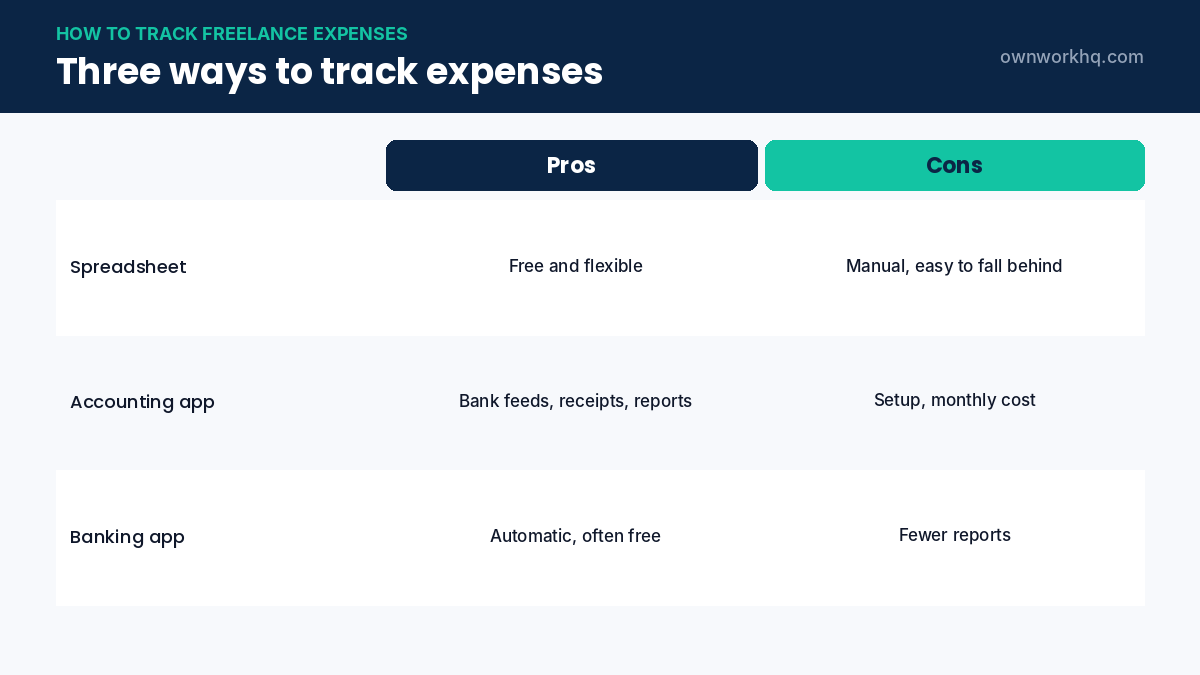
For most freelancers, an accounting app connected to a dedicated business account is the easiest way to keep freelance expenses current. If you’re comparing tools, see our guides to the best accounting software for freelancers and QuickBooks alternatives.
Schedule C categories at a glance
| Schedule C line | Typical freelance expenses |
|---|---|
| Advertising (line 8) | Ads, sponsored posts, business cards |
| Car and truck expenses (line 9) | Business mileage or actual vehicle costs |
| Contract labor (line 11) | Subcontractors, editors, assistants |
| Insurance (line 15) | Professional liability, general liability, equipment |
| Legal and professional services (line 17) | Accountant, tax preparer, lawyer |
| Office expense (line 18) | Software, postage, small office items |
| Supplies (line 22) | Materials used up in your work |
| Travel (line 24a) and meals (line 24b) | Business trips; meals generally 50% deductible |
| Other expenses (line 27a) | Subscriptions, bank fees, education |
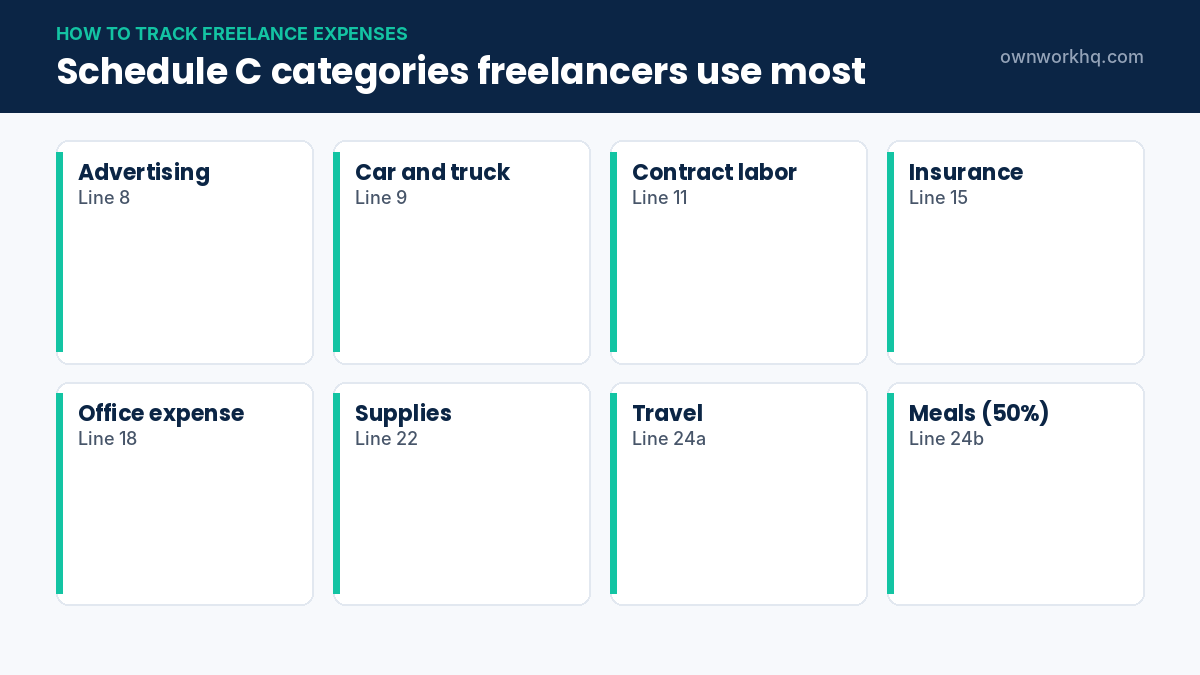
Setting up these categories in your tool from day one means your year-end report maps directly onto your tax return.
Receipts: what counts as good proof
- A receipt or invoice showing the vendor, date, amount and what you bought.
- A bank or card statement showing payment, which supports but doesn’t always replace a receipt.
- A business purpose note for meals, travel and anything that could look personal.
- Digital copies are fine, as long as they’re readable and complete.
Snap a photo of paper receipts with your phone right away and store them in your app or a cloud folder organized by year and month. Search by vendor name later is much faster than sorting a shoebox.
Mileage log: what to record
| Field | Example |
|---|---|
| Date | March 12, 2026 |
| Starting point and destination | Home office to client office, Austin |
| Business purpose | Project kickoff meeting |
| Miles | 18 (round trip) |
| Parking and tolls | $6 parking |
For 2026, the standard mileage rate is 72.5 cents per mile from January 1 to June 30 and 76 cents from July 1, so the date of each trip matters. Mileage apps that use your phone’s GPS can record trips automatically; you just mark them as business or personal.
A 15-minute weekly routine
- Open your app and categorize the week’s new transactions.
- Attach any receipts you haven’t uploaded yet.
- Mark business trips in your mileage log.
- Check which invoices were paid and which are overdue.
- Note anything unusual to ask your accountant about.
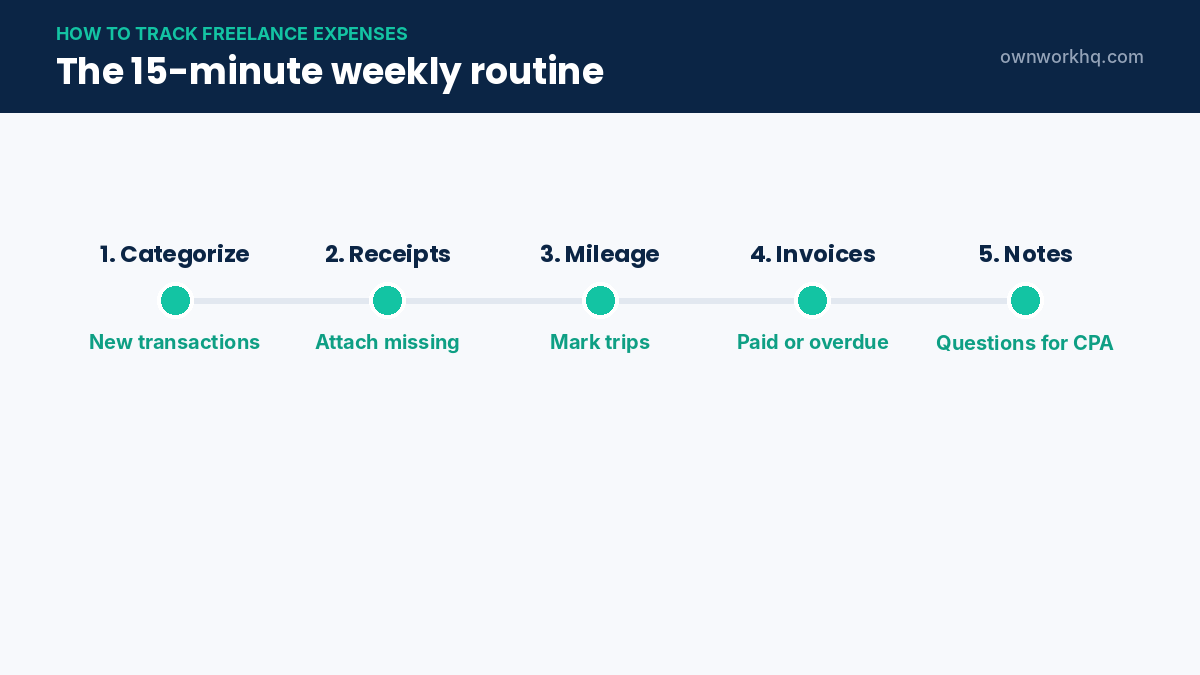
Doing this weekly takes minutes; doing it once a year can take days and leads to missed deductions.
Monthly and quarterly check-ins
- Monthly: reconcile your business account so the app matches your bank statement.
- Monthly: review subscriptions and cancel ones you no longer use.
- Quarterly: run a profit and loss report and pay quarterly estimated taxes.
- Year-end: confirm totals, collect 1099s and send reports to your tax preparer.
Mixed-use expenses: phone, internet and home
Some freelance expenses are partly personal. For your phone and internet, estimate a reasonable business-use percentage and apply it consistently. For a home office, measure the space used regularly and exclusively for work. Write down how you calculated each percentage and keep the note with your records, so you can explain it if asked.
Reimbursable client expenses
If clients reimburse you for costs such as travel or materials, track those expenses separately and mark them as billable. Add them to the next invoice, with a markup only if your contract allows it. Reimbursements you receive are generally income and the matching expenses are deductible, so recording both keeps your books accurate.
What to do if you’re behind
If you’ve fallen behind, start with your bank and card statements. Download them for the year, import them into a tool or spreadsheet and categorize in batches by vendor. Then search your email for receipts from your largest expenses. You don’t need to be perfect to catch up; you need records that reasonably support each deduction.
Freelance expenses by type of work
| Freelancer | Common expenses to track |
|---|---|
| Writers and editors | Software, research materials, subscriptions, home office |
| Designers and developers | Software licenses, hosting, fonts, hardware, plugins |
| Photographers and videographers | Gear, mileage, rentals, storage, assistants |
| Consultants | Travel, meals with clients, professional fees, insurance |
| Virtual assistants | Software, phone and internet, training, insurance |
Whatever you do, the system is the same: a separate account, consistent categories, receipts saved right away and a short weekly review. That is how to track freelance expenses without stress.
Automate as much as possible
- Bank rules: set rules so recurring vendors are categorized automatically.
- Email forwarding: forward digital receipts to your app’s receipt inbox.
- Mileage tracking: use an app that logs drives automatically.
- Recurring subscriptions: pay them all from one business card so they’re easy to review.
Automation won’t replace your weekly review, but it reduces it to a quick check.
Records to keep and for how long
Keep receipts, bank statements, invoices and mileage logs that support your tax return. The IRS generally recommends keeping records for at least three years from the date you file, longer in some situations, and records for equipment and property until the period after you dispose of it. See the IRS guidance on how long to keep records. Back up digital receipts in two places.
Using your expense data
Good expense tracking does more than save tax. Reviewing freelance expenses monthly shows which tools you actually use, how much each client costs to serve and whether your rates cover your costs. Use your reports to plan quarterly tax payments and to set rates with real numbers.
Example: one month of tracked expenses
| Date | Vendor | Category | Amount | Receipt |
|---|---|---|---|---|
| Mar 2 | Design software subscription | Office expense | $55 | Email receipt |
| Mar 5 | Coworking day pass | Rent or other expenses | $25 | Photo |
| Mar 9 | Client lunch | Meals (50%) | $64 | Photo + note |
| Mar 14 | Professional liability insurance | Insurance | $49 | Email receipt |
| Mar 21 | Subcontractor (editing) | Contract labor | $400 | Invoice |
| Mar 28 | Client meeting drive | Car (mileage) | 36 miles | Mileage log |
Each row has a date, vendor, category, amount and proof. That’s all you need for most freelance expenses. If a row is missing a receipt, note why and find a backup record, such as a bank statement or confirmation email.
Taxes: how tracked expenses lower your bill
Every legitimate business expense you record reduces your net profit, which lowers both self-employment tax and income tax. For many freelancers, that combined rate is 25% to 35% or more, so $1,000 in tracked expenses can save several hundred dollars. Expenses you forget to track are deductions you can’t claim, which is why a simple, consistent system pays off every year.
Working with an accountant
If you use an accountant, ask how they want your records: read-only access to your app, a year-end report, or a spreadsheet export. Agree on categories at the start of the year, and send questions as they come up rather than all at once in April. Clean, current records usually reduce the time, and the fee, for preparing your return.
Start small if this feels like a lot: open a business account this week, choose one tool, and set a recurring 15-minute reminder. After a month, the habit is in place and tracking takes care of itself.
Once your expenses are tracked, plug your net profit into our income tax calculator to estimate your federal, self-employment and state tax.
Frequently asked questions
What’s the easiest way to track freelance expenses?
Use a separate business bank account and card connected to accounting software with bank feeds and receipt capture, then review and categorize transactions weekly.
Do I need to keep paper receipts?
No. Clear digital copies (photos or PDFs) are generally acceptable, as long as they show the amount, date, vendor and you note the business purpose.
Can I track expenses in a spreadsheet?
Yes, especially if you have few transactions. Use columns for date, vendor, amount, Schedule C category, business purpose and a link to the receipt.
Is a bank statement enough proof for a deduction?
Often not on its own. A statement shows you paid, but not what you bought or why. Keep receipts and a note on business purpose.
How should I track mileage for 2026?
Keep a log with the date, destination, purpose and miles for each trip. Because the IRS rate changed on July 1, 2026, record trip dates so you can apply 72.5 cents per mile before July and 76 cents per mile after.
What is the easiest way to track freelance expenses?
Use a dedicated business bank account and card connected to an accounting app. Most transactions are imported and categorized automatically, and you only need to attach receipts and review weekly.
Do I need to keep paper receipts?
No. Clear digital copies are generally acceptable. Make sure they show the vendor, date, amount and what was purchased, and back them up.
Can I track freelance expenses in a spreadsheet?
Yes. A spreadsheet with columns for date, vendor, amount, category and business purpose works well for low volume. Link each row to a saved receipt.
Should I track expenses I paid with a personal card?
Yes. Record them as business expenses paid personally, save the receipts, and move future spending to a business card so tracking is easier.
Sources
- IRS: What kind of records should I keep
- IRS: How long should I keep records?
- IRS: Schedule C
- Thomson Reuters: 2026 midyear mileage rate increase
Disclaimer: This article is for informational purposes only and is not tax, legal or financial advice. OwnWork HQ is not a CPA or tax advisor. Tax rules change and depend on your situation, so confirm details with the IRS or a qualified tax professional before you act.
About OwnWork HQ Editorial
We write plain-English guides for US freelancers and check every rate, limit and deadline against IRS and state agency publications. We are not CPAs or financial advisors; for advice on your situation, talk to a qualified professional.