Best Invoicing Software for Consultants (2026): 6 Options Compared
In short: The best invoicing software for independent consultants in 2026, comparing FreshBooks, Bonsai, Harvest, Zoho Invoice, QuickBooks and Wave on price and consultant-friendly features.


On this page
- Best invoicing software for consultants: comparison
- 1. FreshBooks: best overall for consultants
- 2. Bonsai: best for proposals, contracts and invoices
- 3. Harvest: best for hourly billing
- 4. Zoho Invoice: best free invoicing software
- 5. QuickBooks Online: best if you need full accounting
- 6. Wave: free invoicing with basic bookkeeping
- How to choose invoicing software as a consultant
- Invoicing tips that get consultants paid faster
- Set up your invoicing software in one afternoon
- Billing models and how software handles them
- A consultant billing workflow you can automate
- Corporate clients: invoices that get approved fast
- Payment processing: keep fees under control
- Invoicing software and taxes
- Pricing compared: what you actually pay per year
- Retainers: how to invoice them cleanly
- Common invoicing mistakes consultants make
- Security and data: what to check before you commit
- Switching tools without losing track of payments
- Frequently asked questions
- Sources
Consultants bill in ways that generic invoicing apps don’t always handle well: hourly time, monthly retainers, fixed-fee milestones, reimbursable expenses, and the occasional client who insists on net-60. The best invoicing software for consultants makes all of that easy, gets you paid faster, and doesn’t cost more than it saves.
Quick pick: for most independent consultants, FreshBooks Plus is the best all-round choice (time tracking, retainers, proposals and accounting). Choose Bonsai if you want proposals, contracts and invoices in one workflow, Harvest if you bill mostly by the hour, and Zoho Invoice if you want a genuinely free option.
How we chose: we compared features and pricing published on each provider’s official pricing page (checked October 2026), focusing on what independent consultants need. We haven’t been paid to include any product, and prices change often, so confirm on each site.
Best invoicing software for consultants: comparison
| Software | Best for | Starting price* | Free option | Consultant-friendly features |
|---|---|---|---|---|
| FreshBooks | Best overall | $23/mo (Lite, 5 clients); $43/mo (Plus, 50 clients) | Free trial | Time tracking, retainers & proposals (Plus), expenses, accounting |
| Bonsai | Proposals + contracts + invoices | $19/mo billed annually ($25 monthly) for invoicing (Essentials) | 7-day trial | Proposals, contracts, client portal, scheduling |
| Harvest | Hourly billing | Free (1 seat, 2 projects); paid from $9/seat/mo (Teams, billed annually) | Yes | Best-in-class time tracking, invoices from tracked time |
| Zoho Invoice | Best free | $0 | Yes (500 invoices/year, 3 projects, 2 users) | Recurring invoices, time logging, client portal |
| QuickBooks Online | Full accounting | $38/mo (Simple Start) | Limited free plan | Invoicing + bookkeeping + tax reports |
| Wave | Free invoicing + simple books | $0 (Starter); $19/mo (Pro) | Yes | Unlimited invoices, payments, basic accounting |
*Regular prices from official pricing pages, October 2026. Many providers run introductory promotions; payment processing fees are extra.
1. FreshBooks: best overall for consultants
FreshBooks was built for service businesses, and it shows. Every plan includes unlimited time tracking and expenses, online card payments and automated bank import. The Plus plan ($43/month, up to 50 billable clients) adds the features consultants use most: proposals with e-signatures, client retainers, double-entry accounting and accountant access.
- Pros: easy invoices from tracked time, retainers, solid accounting, strong mobile app.
- Cons: the Lite plan ($23/month) only allows 5 billable clients; team members cost $11/month each; ACH payments carry a 1% fee.
Best for: consultants who want invoicing and bookkeeping in one place without the complexity of QuickBooks.
2. Bonsai: best for proposals, contracts and invoices
Bonsai is an all-in-one tool for freelancers and small agencies. The Essentials plan ($19/month billed annually, $25 monthly) includes invoicing, payments, expense tracking, proposals, contracts, a client portal and scheduling. Upgrading to Premium adds profitability reporting and integrations with QuickBooks, Xero and Zapier.
- Pros: a smooth path from proposal to signed contract to invoice; templates for consulting agreements.
- Cons: the cheapest Basic plan doesn’t include invoicing; prices are per user.
Best for: consultants who send many proposals and want contracts and billing connected.
3. Harvest: best for hourly billing
If most of your income is hourly, Harvest’s time tracking is hard to beat. You track time from the web, desktop or phone, then turn billable hours into an invoice in a few clicks. The free plan covers 1 seat and 2 projects, which can work for a consultant with one or two retainers. The Teams plan starts at $9 per seat per month on annual billing.
- Pros: accurate time tracking, invoices built from timesheets, integrations with Stripe, QuickBooks and Xero.
- Cons: not an accounting tool; the free plan is very limited.
4. Zoho Invoice: best free invoicing software
Zoho Invoice is completely free, with no paid tiers, and it’s surprisingly complete: recurring invoices, payment reminders, quotes, expense tracking, time logging and a client self-service portal. The free plan allows up to 500 invoices per year, 3 projects and 2 users, and invoices show “Powered by Zoho Invoice” branding.
- Pros: free, professional, includes time logging and a client portal.
- Cons: project limit; for accounting you’ll need Zoho Books or another tool.
5. QuickBooks Online: best if you need full accounting
QuickBooks Online is the accounting standard many CPAs prefer. Simple Start ($38/month) covers invoicing, payments, expense tracking and tax-time reports. It’s more than many solo consultants need, but if you work with an accountant or plan to grow, it can save friction later. If the price or complexity puts you off, the other options on this list are lighter alternatives.
6. Wave: free invoicing with basic bookkeeping
Wave’s free Starter plan includes unlimited invoices and estimates plus basic bookkeeping. Card payments cost 2.9% + $0.60 per transaction on the free plan. The Pro plan ($19/month) adds automatic bank imports, branding, late-payment reminders and discounted processing on your first 10 card transactions each month.
How to choose invoicing software as a consultant
| If you… | Choose |
|---|---|
| Bill mostly by the hour | Harvest or FreshBooks |
| Work on monthly retainers | FreshBooks Plus or Bonsai |
| Send lots of proposals and contracts | Bonsai |
| Want to pay $0 | Zoho Invoice or Wave |
| Work with an accountant or plan to hire | QuickBooks Online or FreshBooks |
Features that matter most for consultants
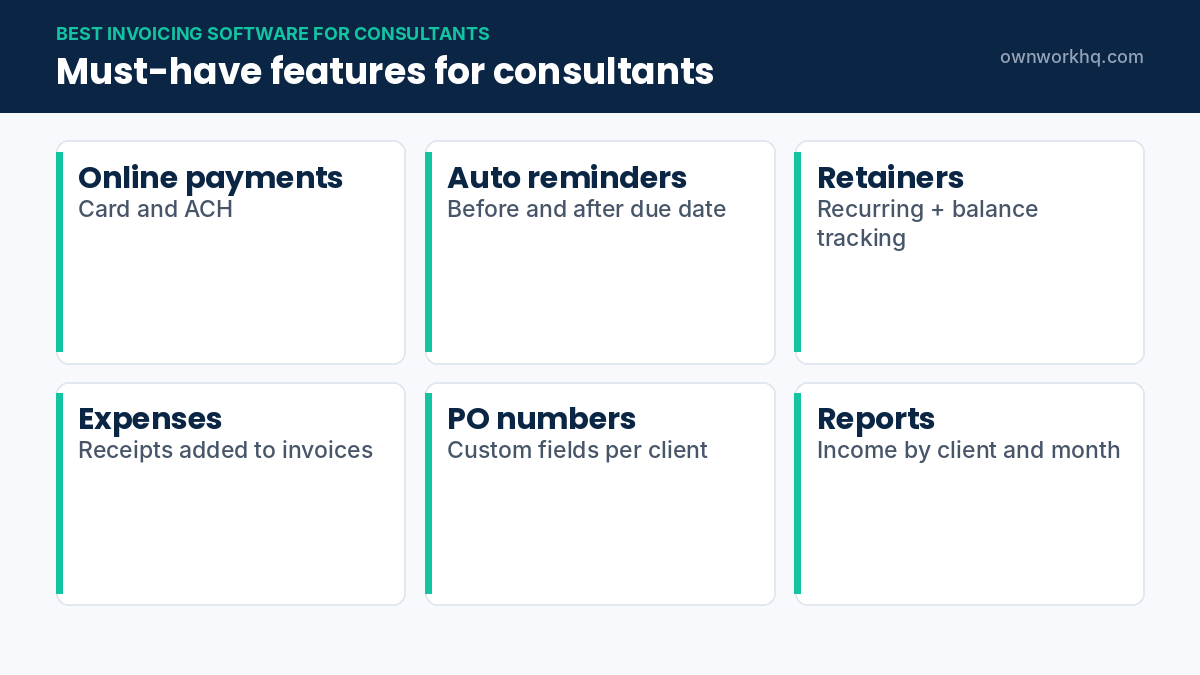
- Time tracking linked to invoices, so you never forget billable hours.
- Retainers and recurring invoices for monthly engagements.
- Online payments (card and ACH). Check fees, since ACH is usually cheaper for large consulting invoices.
- Automatic reminders for overdue invoices.
- Expense tracking for reimbursable costs and tax deductions.
- Accountant access and reports for quarterly taxes.
Invoicing software also makes tax season easier: a good rule is to move a fixed percentage of every payment into a separate tax savings account so you’re ready for quarterly estimated taxes.
Invoicing tips that get consultants paid faster
- Invoice immediately when a milestone is completed, or on a fixed monthly date for retainers.
- Use clear payment terms (for example, net 15) and state them in your contract.
- Offer ACH and card payments, and consider passing card fees on where allowed.
- Ask for a deposit or retainer up front on new engagements.
- Automate reminders at 3, 7 and 14 days overdue.
Set up your invoicing software in one afternoon
- Add your business details: legal name, address, EIN and logo.
- Create service items with default rates: strategy session, hourly consulting, monthly retainer, workshop day.
- Turn on online payments by card and ACH; ACH is usually cheaper for large invoices.
- Set default terms (for example Net 14) and automatic reminders before and after the due date.
- Import clients with billing contacts and any purchase order numbers.
- Connect your business bank account so payments reconcile automatically.
Once this is done, most invoices take a minute to send. That’s the real value of the best invoicing software for consultants: fewer admin hours you can’t bill.
Billing models and how software handles them
| Billing model | What to look for in the software |
|---|---|
| Hourly | Built-in timer, timesheet approval, invoice from tracked time |
| Monthly retainer | Recurring invoices, retainer balance tracking, overage billing |
| Fixed-fee milestones | Deposits, partial invoices, project budget tracking |
| Reimbursable expenses | Receipt capture, markup option, expenses added to invoices |
| Daily rate / workshops | Simple line items with quantity of days |
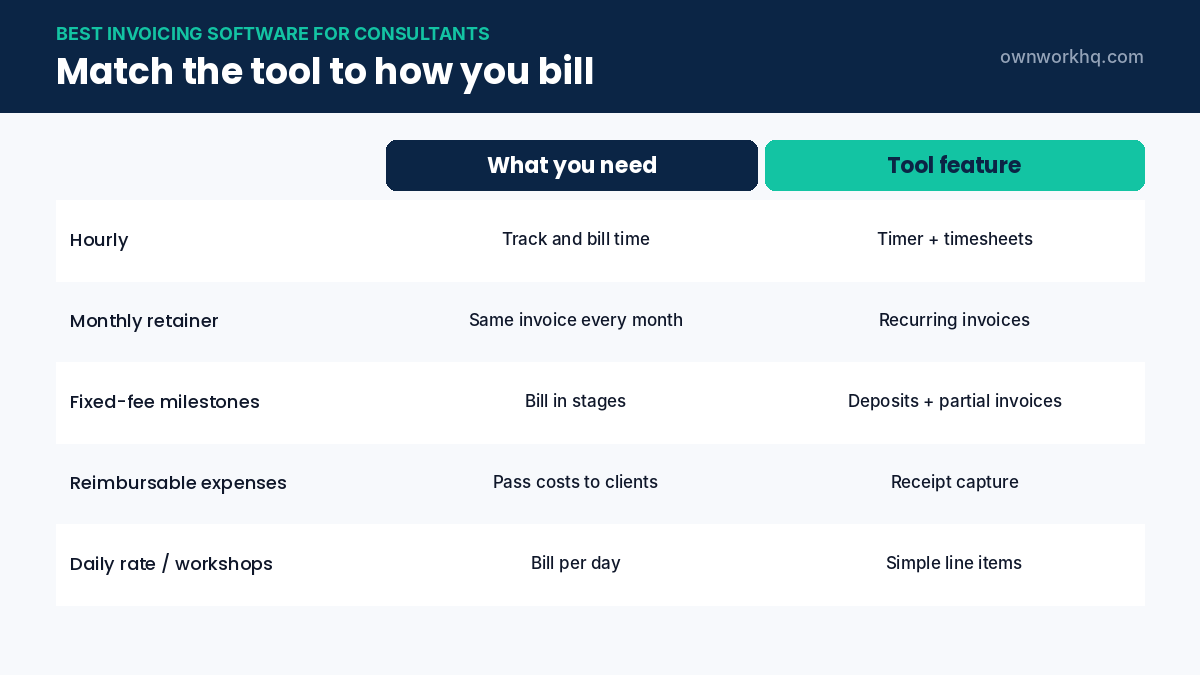
If your work mixes models, choose a tool that handles all of them in one place. Switching between apps for time, retainers and expenses is where billing errors creep in.
A consultant billing workflow you can automate
- Send a proposal with scope and price.
- Collect an e-signature on the contract and a deposit invoice.
- Track time or milestones as you work.
- Generate the invoice from tracked time or the next milestone.
- Let automatic reminders handle follow-ups.
- Reconcile the payment with your bank feed.
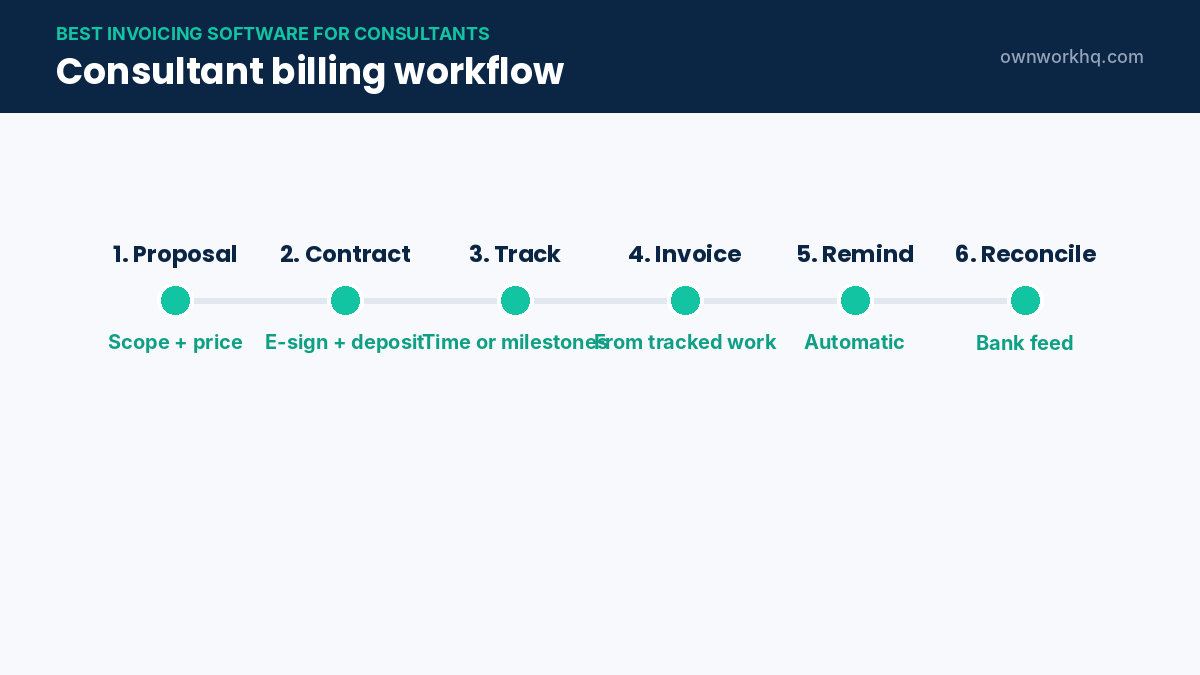
Several tools in this guide cover the whole flow. If yours doesn’t, connect separate tools for proposals and contracts, and keep invoicing and bookkeeping together. Our freelance contract template works with any of them.
Corporate clients: invoices that get approved fast
- Include the purchase order number on every invoice; many companies can’t pay without it.
- Register in the client’s vendor portal early, and upload invoices there if required.
- Match the client’s required format: some want monthly invoices, others per milestone.
- Send a Form W-9 with your EIN at onboarding so payment isn’t held up.
- Ask about payment cycles; if the client pays on net 45, plan your cash flow accordingly.
Good invoicing software stores PO numbers and custom fields per client, so you don’t have to remember each company’s rules.
Payment processing: keep fees under control
Card payments are convenient but usually carry a percentage fee; ACH bank transfers are typically much cheaper. For large consulting invoices, encourage ACH by putting bank details first and the card option second. Some consultants add a note that card payments include a processing fee, but check your processor’s rules and state law before surcharging.
Invoicing software and taxes
- Use the reports: income by client and month makes quarterly estimated taxes quick to calculate.
- Track reimbursements separately so client-paid expenses don’t distort your profit.
- Export at year-end: a profit-and-loss report and invoice list for your tax preparer.
- Check sales tax settings only if you sell taxable products or services in your state.
Pricing compared: what you actually pay per year
Invoicing software prices change often, and most tools tier their plans by the number of clients, users or features. Rather than chase list prices, compare what you would pay per year for the plan that covers your real workload. A consultant with five active clients and one user usually fits an entry or mid-tier plan; a small firm with subcontractors needs team seats and permissions.
- Count active clients, not total contacts. Some plans limit billable clients, so archive old ones.
- Check payment processing fees separately. The subscription is often the smaller cost on large invoices.
- Look for annual discounts. Paying yearly is usually cheaper once you know the tool fits.
- Add up add-ons. Extra users, advanced reporting or payroll can double the base price.
Always confirm current pricing on each provider’s website before you subscribe, and use the free trial to send at least one real invoice.
Retainers: how to invoice them cleanly
Retainers are common in consulting because they smooth out income for you and give the client guaranteed access. The way you invoice them matters:
- Bill in advance on the first day of each month or period, with short payment terms.
- State what the retainer includes, for example up to 10 hours or a defined list of deliverables.
- Track usage against the retainer so you can show the client what they received.
- Bill overages separately at an agreed hourly rate, on the next invoice or a separate one.
- Decide what happens to unused hours: roll over, expire, or convert to credit, and put it in the contract.
Recurring invoices handle the billing automatically, and the reminders keep cash flow predictable. Pair this with clear rate setting so the retainer reflects the value you deliver.
Common invoicing mistakes consultants make
- Vague line items. “Consulting services” invites questions; “Market entry analysis, phase 2” doesn’t.
- Invoicing late. Every week you wait to send invoices adds a week to when you get paid.
- No late payment terms. State a late fee or interest policy in the contract and on the invoice where permitted.
- Mixing personal and business payments. Use a dedicated business bank account.
- Forgetting reimbursable expenses. Capture receipts when you spend, not at month end.
Security and data: what to check before you commit
Your invoicing software stores client names, addresses, rates and sometimes bank details. Before choosing, check that the provider supports two-factor authentication, lets you control user permissions, and allows you to export all of your data. An export option protects you if you ever switch tools, and it’s useful at tax time when your accountant asks for a full invoice list.
Switching tools without losing track of payments
If you already bill with spreadsheets or another app, plan the move at the start of a month. Finish and send any open invoices in the old system, record outstanding balances in the new one, and only then switch. Recreate your service items, rates and payment terms first, so the first invoice from the new tool looks the same to clients. Tell clients that payment links and remittance details are changing, and keep the old account readable until every open balance has been paid. Finally, export a full history from the old tool and store it with your tax records, because you may need it for several years.
Give yourself a week of overlap so nothing falls through the cracks during the switch.
Frequently asked questions
What is the best invoicing software for independent consultants?
FreshBooks is the best all-round option for most consultants thanks to time tracking, retainers and proposals on its Plus plan. Bonsai is ideal if you want contracts and proposals connected to invoices, and Harvest is best if you bill mostly by the hour.
Is there free invoicing software for consultants?
Yes. Zoho Invoice is completely free (up to 500 invoices per year, 3 projects and 2 users), and Wave offers free unlimited invoicing. Harvest also has a free plan for 1 user and 2 projects.
Should consultants use QuickBooks or FreshBooks?
FreshBooks is simpler and designed around service businesses and time billing. QuickBooks Online offers deeper accounting and is preferred by many accountants. If you invoice a handful of clients, FreshBooks is usually easier.
Can I deduct invoicing software on my taxes?
Software subscriptions used for your business are generally deductible business expenses for self-employed consultants. Confirm with a tax professional.
Do I need to charge sales tax on consulting invoices?
In most US states, consulting services aren’t subject to sales tax, but rules vary by state and service type. Check your state’s revenue department.
Is free invoicing software good enough for consultants?
For a few clients and simple billing, yes. Zoho Invoice and Wave offer free plans. Once you need retainers, time tracking or automatic bank reconciliation, a paid plan usually saves more time than it costs.
Can invoicing software handle multiple currencies?
Many tools can invoice in foreign currencies, but features and fees vary. If you have international clients, check currency support and payout fees before choosing.
Do I need separate accounting software if I use invoicing software?
Not always. Some invoicing tools include bookkeeping; others only bill. If yours doesn’t track expenses and produce a profit-and-loss report, pair it with accounting software.
How quickly should consultants send invoices?
Send them as soon as the work, milestone or billing period ends. Prompt invoices are paid faster, and automatic recurring invoices remove the delay entirely for retainers.
Should consultants charge a late fee?
Many do, as long as it’s agreed in the contract and allowed under applicable law. A modest late fee and automatic reminders usually fix most slow-paying clients.
Sources
- FreshBooks pricing
- Bonsai pricing
- Harvest pricing
- Zoho Invoice pricing
- QuickBooks Online pricing
- Wave pricing
Disclaimer: This article is for informational purposes only and is not financial advice. Product features and prices change frequently, so confirm current details on each provider’s website before you sign up. OwnWork HQ may earn a commission from some links, at no extra cost to you.
About OwnWork HQ Editorial
We write plain-English guides for US freelancers and check every rate, limit and deadline against IRS and state agency publications. We are not CPAs or financial advisors; for advice on your situation, talk to a qualified professional.